Does the customer need to install an app?
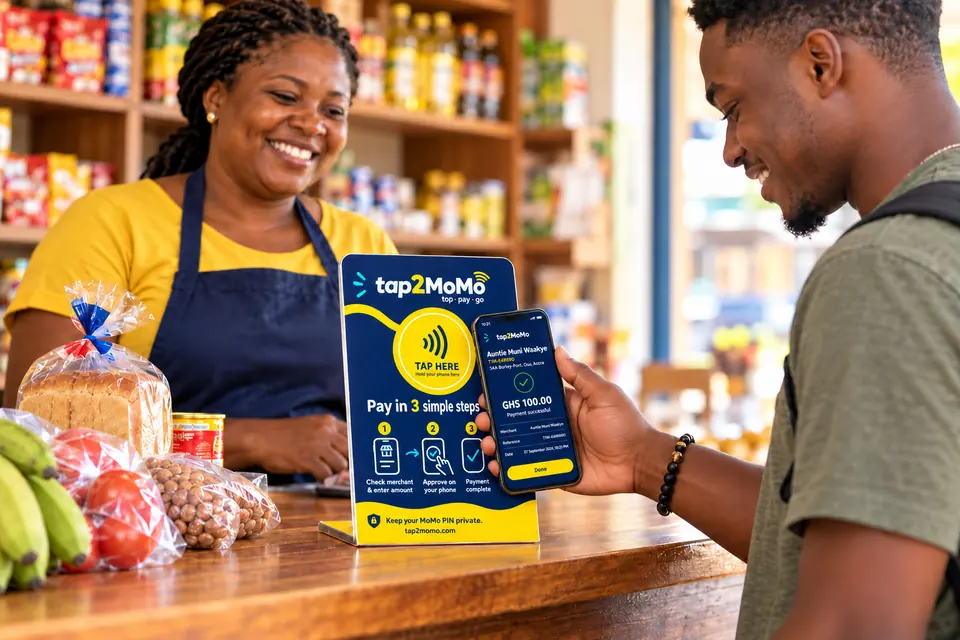
No. Tapping the tag opens a web page in whatever browser the phone already has. There is nothing to download, nothing to sign up for, and no account to create. This is the single biggest reason the design uses NFC tags rather than a wallet app: asking a customer at a counter to install something is where almost every merchant-present payment product in the region has died.
Which phones work?
Any phone with NFC, which is most Android phones sold in Ghana in the last several years and every iPhone from the XS onward. On iPhone, NFC tag reading is built into the camera and lock screen, so it works without any setup. A phone without NFC cannot tap, and for the pilot that customer pays the way they do today.
Which mobile money networks are supported?
MTN Mobile Money, AirtelTigo Money and Telecel Cash. The customer enters the number they want debited and the network is detected from the prefix.
How long does a payment take?
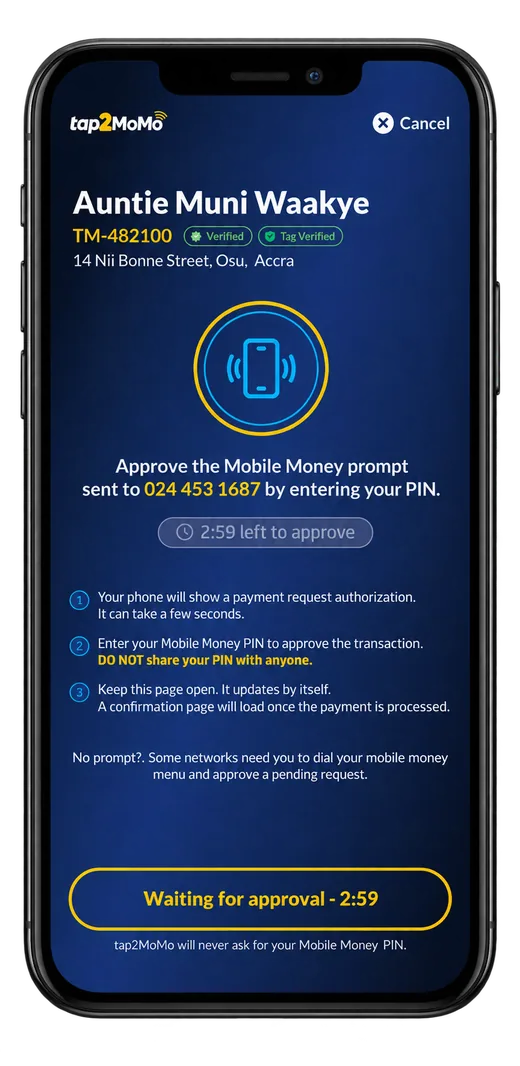
About twenty seconds in normal conditions, most of which is the customer entering their PIN. The mobile money prompt has a 180-second window to be approved, and the pay screen counts that window down honestly rather than spinning indefinitely. If it closes without approval, nothing is charged.
Can someone copy the tag or swap it for their own?
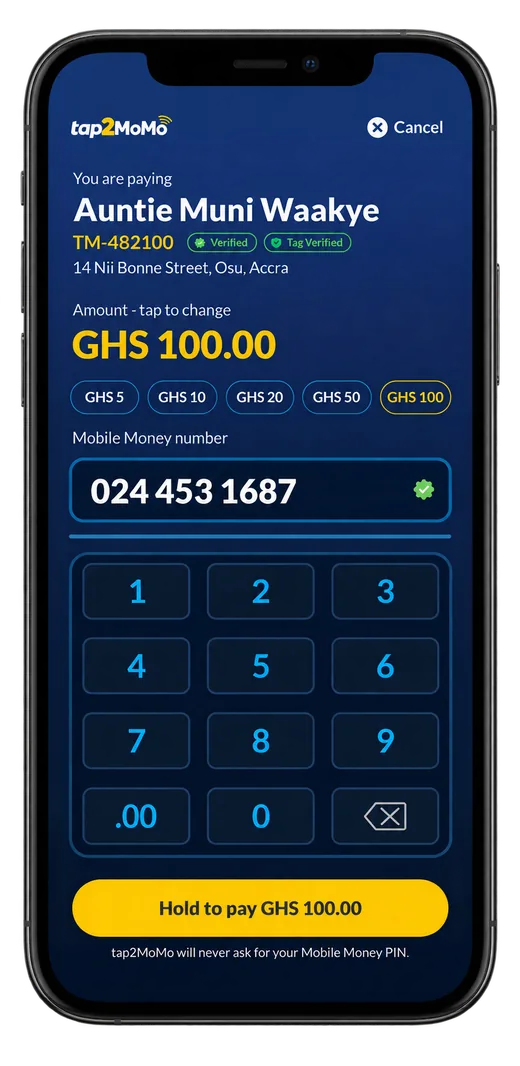
Copying it does not work, and swapping it is visible to the customer. Each tap is signed inside the chip by a key unique to that tag, which was never written down anywhere and cannot be read out. The signature covers a counter that only ever increases, so a URL captured from a genuine tap is already stale by the time anyone reuses it. And because the pay screen shows the merchant name and code before any amount is entered, a tag swapped for a different merchant’s shows the wrong shop, which is exactly the moment a customer should stop.
How is this different from a QR code?
A QR code is a picture, so anyone with a printer can make one and anyone with tape can put it over yours. An NFC tag of this type is an active chip that performs a cryptographic operation on every read. There is nothing to photograph and nothing to reproduce. The customer-facing difference is that a swapped QR is undetectable, while a swapped tag either fails its signature check or names a merchant the customer can see is wrong.
What happens if the same tap is replayed?
It is rejected. The server keeps a high-water mark of the counter for every tag and advances it with a single atomic database operation, so of two simultaneous taps carrying the same counter exactly one can win. The second is refused as a replay rather than opening a second payment.
What does a merchant need?
A tag on the counter and a phone number to receive SMS. There is no terminal to buy, no card reader, no till integration and nothing to plug in. The tag is passive: it has no battery and needs no power or network of its own.
What happens if the shop has no internet?
The tag needs none, but the customer’s phone does. The tag is passive and stores only a URL, so the network connection that matters is the customer’s own mobile data, not the shop’s. In a spot with no coverage at all, the payment cannot complete, and the screen says so rather than appearing to succeed.
How does a merchant know they were paid?
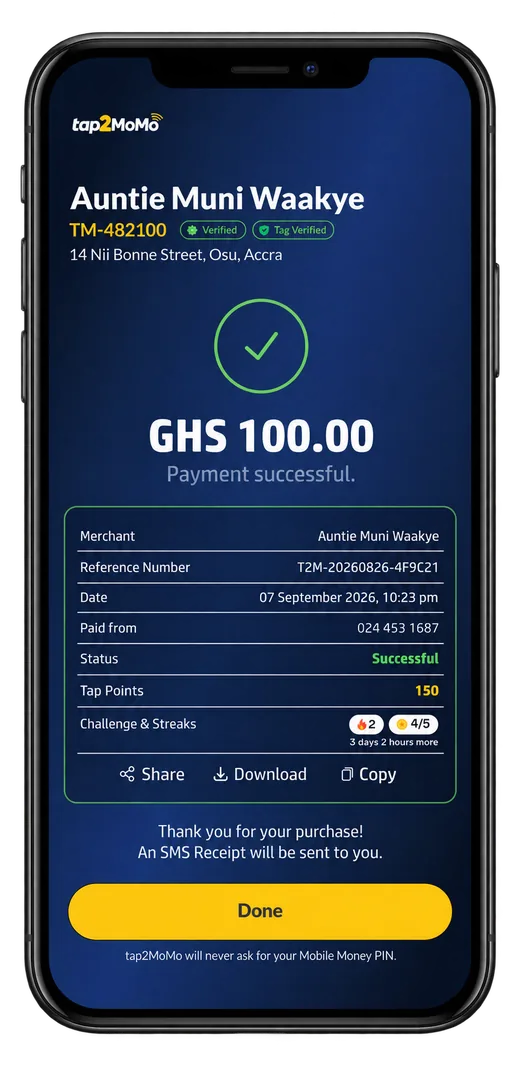
An SMS for every payment, plus a dashboard listing every transaction and a printable statement for a chosen date range. The SMS is deliberately not the only record: a message can be delayed by the network, so the dashboard is the source of truth and the SMS is the notification.
Is Tap2MoMo live?
Not yet. It is a working system in pilot preparation for Ghana in 2026, not a service you can sign up for and start taking money on today. A merchant joining now is joining a pilot, with the involvement and the uncertainty that implies. We would rather say this plainly than have a merchant discover it after signing something.
Is Tap2MoMo licensed by the Bank of Ghana?
Yes. Tap2MoMo holds a Dedicated Electronic Money Issuer licence, which is what permits it to issue electronic money and hold customer balances under the Payment Systems and Services Act 2019 (Act 987). What that does not mean: it is not yet a service you can sign up for, no regulatory return has been filed with anybody, and a merchant joining now is joining a pilot. Any merchant conversation includes all of that.